Turn anything you read
into something you listen to.
An article, a selection on the page you're already on, or anything on the web — Orateur reads it out loud, in your browser, the moment you press play. No upload, no app to open, no new tab.
- Runs locally
- Firefox & Chrome
The extension
A pill on every page.
Press play.
It cuts the menus, the ads, and the sidebars — then reads what's left, right where you already are.
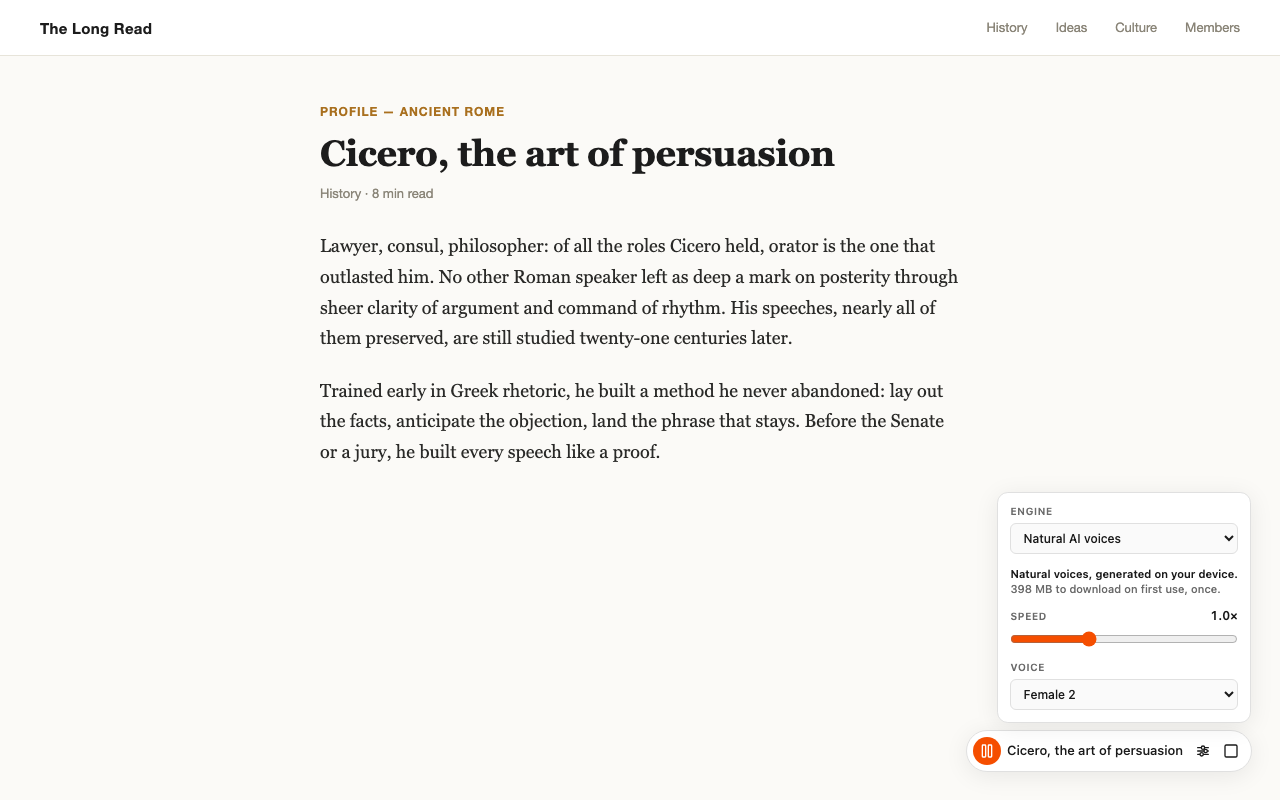
Already there.
No tab to open, no article to import first. The pill sits on the page you are on — press play.
Reads it, keeps nothing.
Right-click any page and choose "Read this page" — Orateur reads it aloud on the spot. No tab opens, nothing is sent anywhere.
Not just articles.
Highlight any text — a quote, a comment, a release note — and a Listen bubble appears, on any page.
Worth keeping? One click.
The toolbar icon sends the article to your library, so you can finish it later in the same browser.
Two voices, your call.
Your system voice, available instantly. Or a neural voice that runs on your machine after a one-time model download (about 400 MB).
Why Orateur
Because your list
deserves better than guilt.
- Your articles, your choice.
- Links, text, or files: you choose what to listen to.
- Resume at the right paragraph.
- Pick up where you left off, even days later.
- Your reading stays private.
- The extension reads on your device. Your library stays in this browser.
Accessibility
Not everyone reads
the way the web assumes.
Dyslexia, ADHD, migraine, low vision — or simply eight hours of screen. Hearing a page is not a lesser way of reading it; for a lot of people it is the only one that works.
- Dyslexia
- The paragraph being read is highlighted as the voice moves through it, so the text and the sound advance together.
- ADHD
- A voice keeps going. A paragraph waits — and waiting is where attention leaks away.
- Migraine, light sensitivity
- Screen dimmed or turned away, article read anyway. Nothing on the page has to be looked at.
- Screen fatigue
- By the end of the day the article you saved is the one you cannot face. Press play instead of putting it off again.
Orateur vs. Speechify
One honest comparison.
Including the one we lose.
| Orateur | Speechify | |
|---|---|---|
| Price | Free | Free tier limited; Premium $29/month (or less billed yearly) |
| Usage limit | No character limit, no quota | Free tier capped at 1.5× speed and 10 basic voices |
| Account required | No — reading needs none | Yes, for every plan |
| Where your text goes | Stays in your browser | Sent to Speechify's servers to generate the voice |
| Works offline | With an installed local system voice; neural playback also needs the selected voice resources | No — voices are generated in the cloud |
| Voice quality | Local voices: correct, not built to impress | 1000+ cloud voices, noticeably more natural |
Prices and features checked against speechify.com on Sep 2, 2026.
FAQ
Common
questions.
- What is Orateur?
- Orateur is a free read-aloud extension for Firefox, Chrome and Edge, with a web library for saved articles, pasted text and documents. No account is required.
- Do I have to install the extension?
- No. The website imports public article URLs, pasted text and supported files. URL import can fail on sites that require sign-in or block automated access. The extension lets you listen without leaving the page you are on.
- Does the natural voice really download 400 MB?
- Only if you turn it on. The optional neural voice downloads its models once, then synthesizes speech locally. System voices depend on your browser and device; some require an internet connection.
- Can I listen to articles for free?
- Yes. Orateur is free and requires no account. Listening has no subscription or character quota.
- How do I resume an article where I stopped?
- Orateur saves each session locally as you listen. Reopen the article in the same browser and playback restarts at the exact suspended block.
- Can I listen to articles offline?
- Already imported articles can be read offline once the app is cached in this browser, using an installed local system voice. Neural playback also needs the selected voice's resources available; downloading the model alone does not guarantee offline playback.
- What formats can I import?
- Public article URLs, pasted text or HTML, and .txt, .md, .html and .docx files. The web app does not import PDFs. Imported content is cleaned and split into listenable blocks.
Saved articles
- The art of slow reading12:42
- Why we read what we read08:31
- The future of the web21:07
Your saved articles
are waiting.
The average reading list dies unread. Yours doesn't have to.
Listen to your first article