A text-to-speech extension
for Chrome and Firefox.

Add Orateur to your browser and press play on any page — articles, docs, long emails read aloud in your browser. Free, no account, nothing uploaded unless you ask.

Is there a good free text-to-speech extension for Chrome?

Orateur adds a pill to the bottom of every page. Press play and it reads the page aloud with a natural voice — the article is extracted first, so menus and ads are left out. It's free with no account and no character limit, and also installs on Firefox and other Chromium browsers (Edge, Brave, Opera) through the same listings.

Essay · 12 min · English

The art of slow reading in the age of endless feeds

The patience slow reading demands is precisely what modern feeds erode by design.

Yet the best essays ask you to linger — and that's exactly what the feed prevents…

Block 4 / 18

example.com
The art of slow reading

00:42 · 12:34

1.0×

How it works

One pill.
Every page.

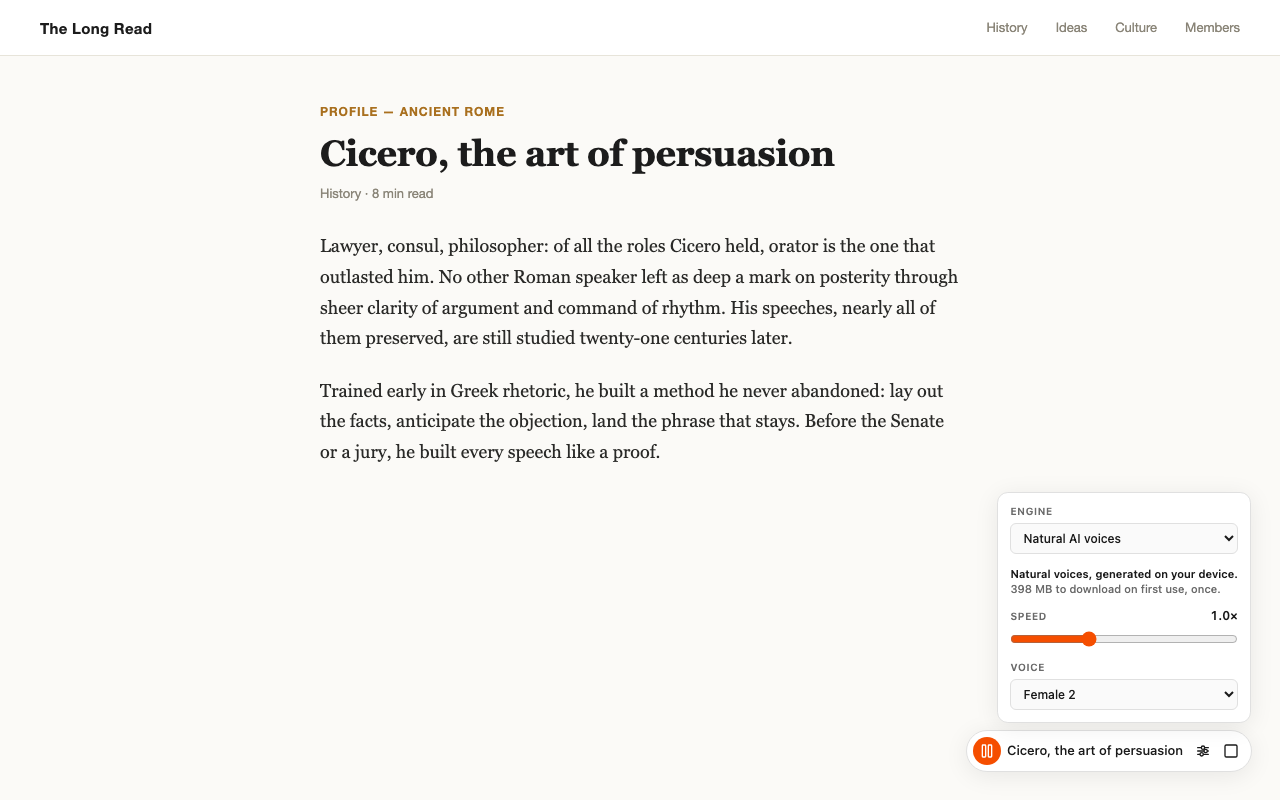
Install the extension and a small pill appears at the bottom of every page you visit. Press play and Orateur reads the page aloud, right where you already are.

The Orateur pill playing at the bottom of an article, unfolded to its settings: voice engine, speed and voice choice.

Works on the page you're already on.

No copying a URL into a separate site first. Press play on the pill, or right-click and choose "Read this page".

Skips menus, ads, and sidebars.

Orateur extracts the article itself before reading, so you hear the piece you came for, not the surrounding page chrome.

Free voice, on your device.

Your system voice reads instantly. An optional neural voice runs on your device after a one-time model download (about 400 MB).

Why this one

Built to read,
not just speak.

Reads the article, not the page.
Generic "read aloud" extensions speak the raw DOM, ads and all. Orateur extracts the article first.
No per-minute meter.
The voice runs on your device, so there's no cloud bill behind it — nothing to subscribe to, no monthly cap.
Picks up where you left off.
Send an article to your library and playback resumes at the exact paragraph, in the same browser — not just from the top.

Getting started

Install.
Press play.

  1. 01

    Add the extension

    From the Chrome Web Store or Firefox add-ons — same listing covers Edge, Brave, and Opera too.

  2. 02

    Press play

    A pill sits at the bottom of any page. Press play, or right-click and choose "Read this page".

  3. 03

    Send it to your library

    Optional — one click keeps the article for later, resuming at the exact paragraph.

FAQ

Common
questions.

Is this extension really free?
Yes — no account, no character limit, no premium tier. The voice runs on your device, which is what makes that sustainable.
Does it work on Edge or Brave?
Yes. The Chrome Web Store listing installs on any Chromium browser, including Edge, Brave, and Opera.
Will it read PDFs or paywalled articles?
It reads what the page actually shows you — a PDF in the browser's built-in viewer, or text hidden behind a paywall, isn't extracted.
Can I use it without installing anything?
Yes. Paste a link on the Orateur website and it reads the article in the tab, with the same voices and paragraph-level resume.

The page in front of you
can read itself.

One pill, every page, nothing to sign up for.

Listen to an article now